Workouts. Know what's due.
Know what's due before you walk in. Log it while you're there. Watch the map change.
Trained todayNext upRecoveringOverdueInjured
Know what's due before you walk in. Log it while you're there. Watch the map change.

Sessions lists your split in rotation; the next one is marked. Recover shows what's still recovering and how long it usually takes, so a rest day is a decision, not a guess.


Start the session and the app shows the exercise, the target reps and weight, and a rest timer between sets. Log a set with one tap; adjust the number if it went differently. When you finish, a short summary and the map updates.
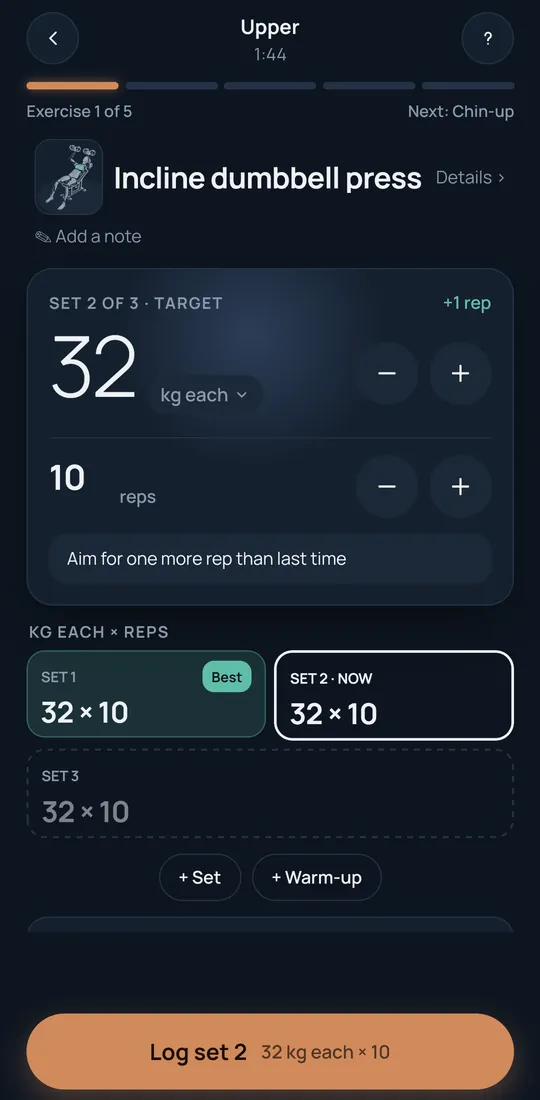
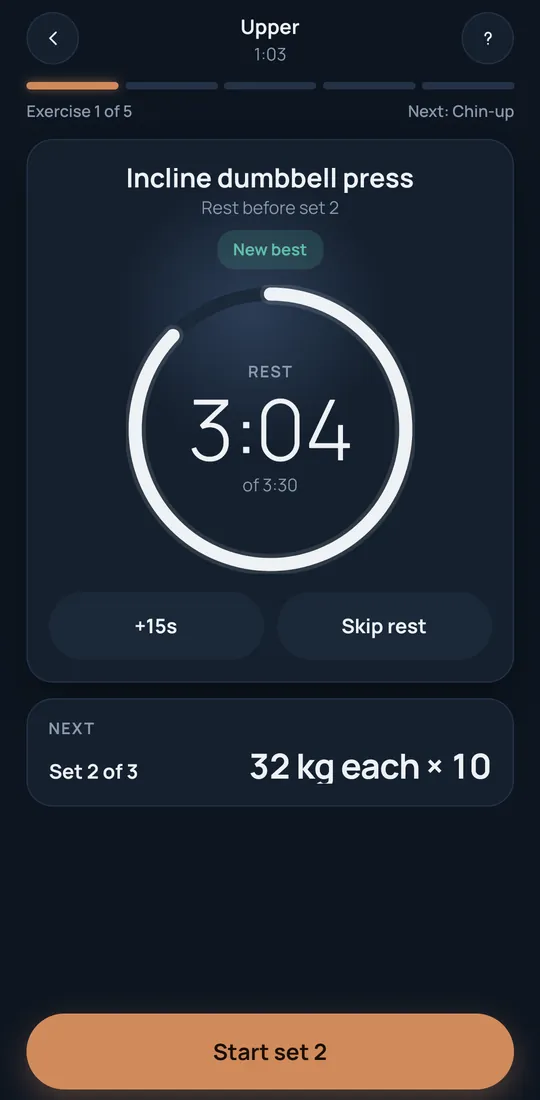
Every exercise has a rep range. Hit the top of it on every set and next time the weight goes up one step. Fall short and next time asks for one more rep instead. That's the whole rule, and it's written under the number so you can see it working.
The progression rule is reviewed by qualified professionals before public release.
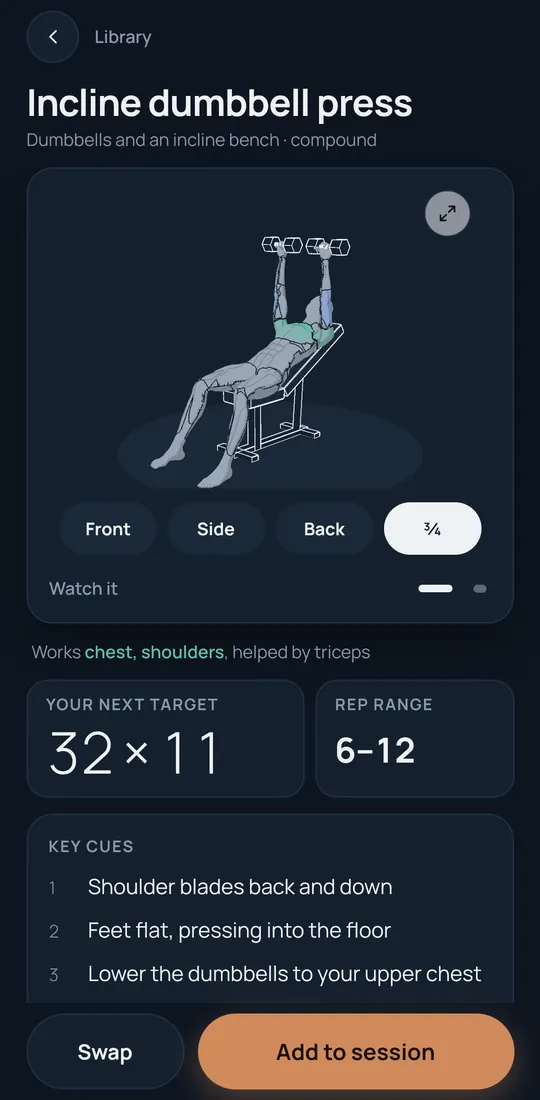
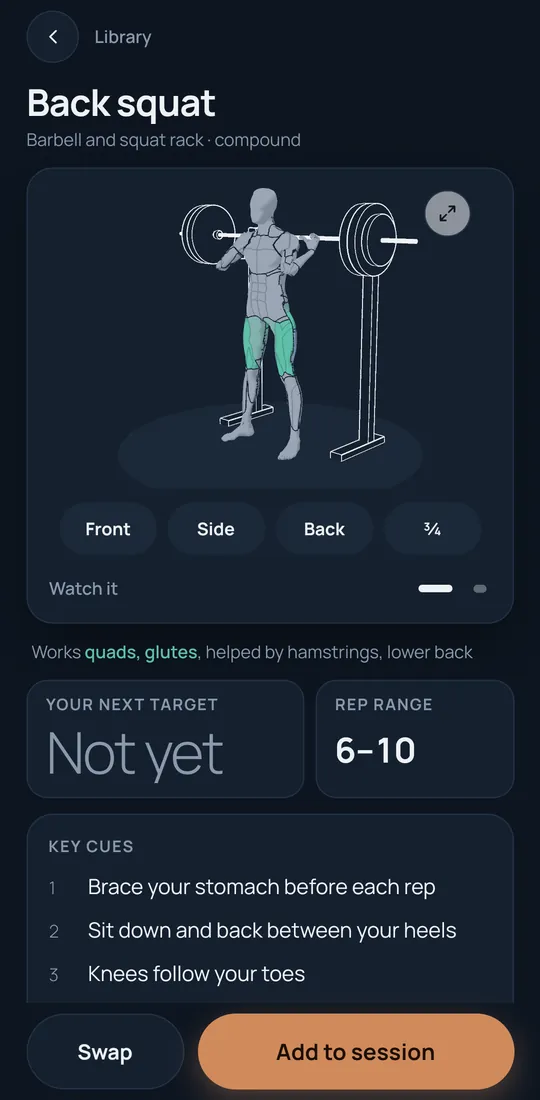
A short guide for each exercise: setup, the movement, what to feel, what to avoid. Add your own exercises and say which muscles they work; they join the map like everything else.

Flag an injury and that muscle comes out of every session until you say otherwise. Feeling sore? The soreness check-in is one tap on the Recover tab, and it keeps that muscle recovering a day or two longer.


After about six hard weeks, or when your numbers stop moving, the app suggests a lighter week: the same sessions at roughly 55% of the load. You choose; it never changes your plan on its own.
The six-week and 55% figures are reviewed by qualified professionals before public release.
Sleep, protein, walking, stretching, foam rolling, ice baths and the rest, each with a grade for how strong the research behind it is. Some things work well. Some feel good. The app tells you which is which.

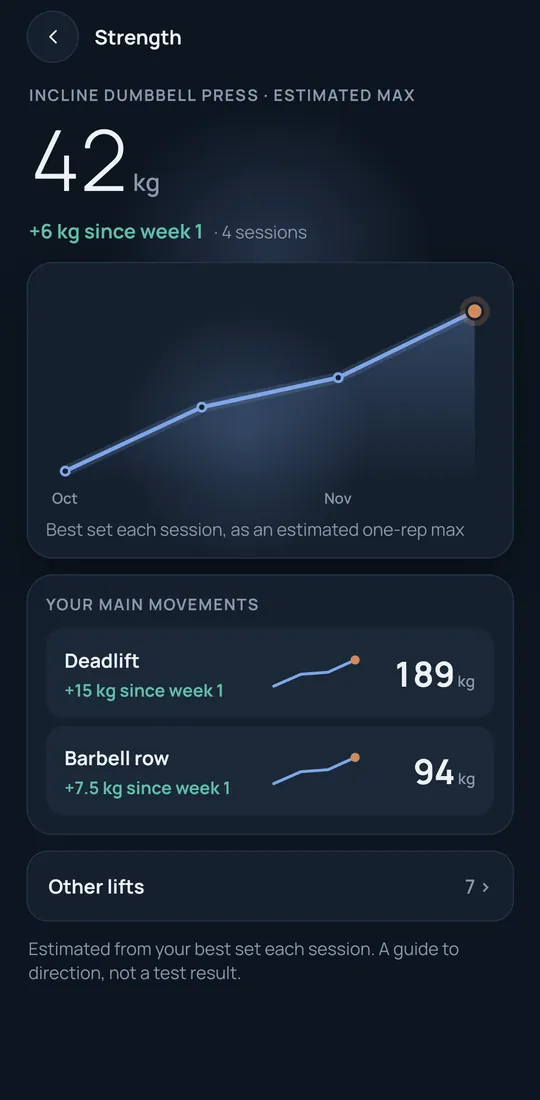
History is every session you've done. Strength shows each lift over time, with your best marked once, in sea glass, when it happens.

Exercise guides, recovery grades and the progression rule are reviewed by qualified professionals before public release.